{This
site is best viewed in 1024 X 768 screen resolution}
Trackside Software Online Reporting
Tool
|
Posting race results to the web
just got faster and easier!
| Example Reports |
 |
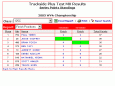 |
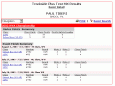 |
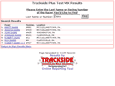 |
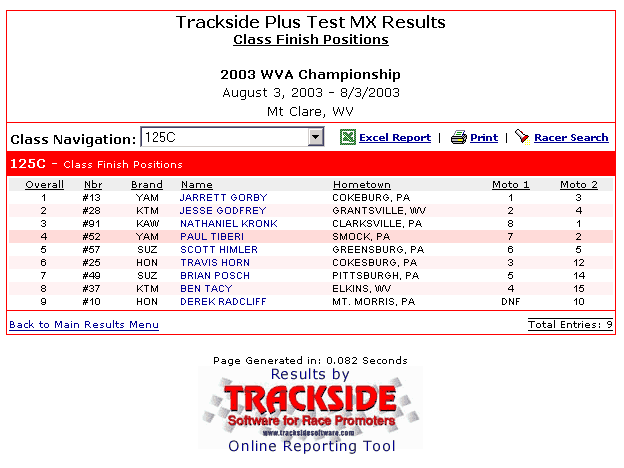
| Class Finishes |
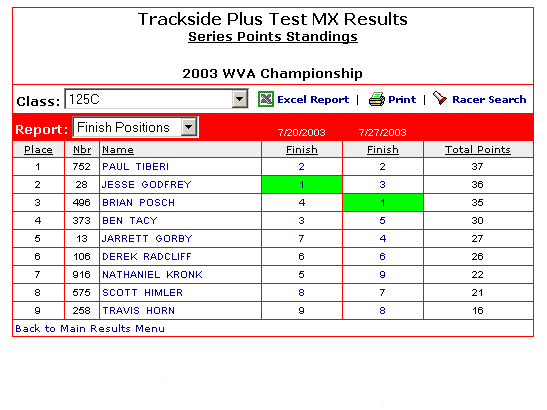
Series Points |
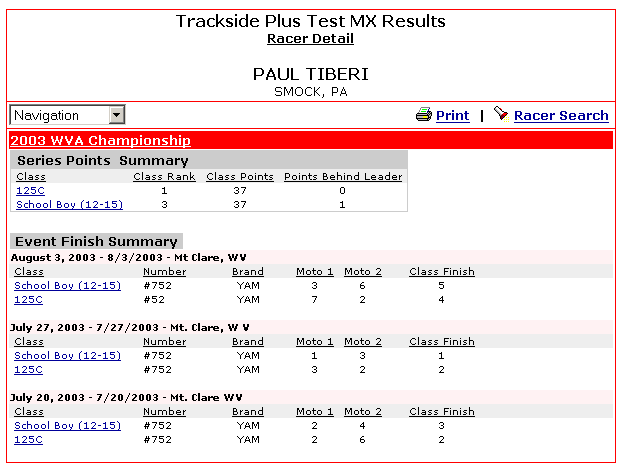
Racer Profile |
Racer Search |
|
|
Trackside Software introduces a new
way to post your results.
The Online Reporting Tool
creates the web pages as the
user requests the
information. We have two
version's of the reporting
tool. One version is
simply for showing race results
($300*). Another version
will show race results and
series points($600*). The
fees are "one-time"
fees and no further fee is
charged.
*Special price includes
keeping the TRACKSIDE logo on
your results pages for minimum
of 2 years. Price will be
increased by $200 if you do not
want our logo displayed.
Here's how it works.
Trackside Software has
developed an ASP ( Active Server
Page ) program. This
program resides on your web
server and is connected to a
copy of your Trackside database
which you put on your
server. The database is
copied up to the server by the
promoter after each race so the
ASP program can show the most
recent data. When
the user requests to see points
or results, the program will
query the database for the
requested information and create
a page to present to the
user. The program inserts
hyperlinks into that page so the
user can easily navigate to the
next desired page.
The Benefits.
- All your result pages
are consistent. They
have the same look no matter
which report is selected.
- Results can be posted
in a matter of seconds.
- Trackside result pages
will match the color schema,
borders and backgrounds of
your web.
- Pages will open quicker
than regular HTML for those
on a dial up modem.
- User can click on the
name of a racer and see all
the results in the database
for that user.
- User can view the
points standing.
- A printable version of
the screens are available
for every report.
- A user can search for a
specific racer with the
Search box.
- Navigation for results
is easy to understand and
use.
- When you make a
correction to a previous
race or points in your
Trackside database, your web
page will automatically be
corrected when you copy your
database to the web.
- Overall, it will make
your racing organization
appear more professional
than the others.
How to get it.
- You contact Trackside
and let us know which
version you would like on
your web site.
- We will get in touch
with you to get your web
server FTP information.
- We then install a
program on your web server
which will read your
database.
- You build a hyperlink
from your main site to a URL
that we give you.
- You copy your Trackside
database (trackside.mdb) to
the web server location we
create.
- You now have all your
races and points posted on
the web.
After your next race,
repeat step 5 and your results
are posted.
Call us for more information and be sure
to look at
a track using the online reporting tool.
Select below
to view tracks
using the
online reporting tool:
<%=strTypeDrop%>
<%'Place the below code where you would like the promoter dropdown to reside%>
<%=strPromoterDrop%>
|
|
|